The best fit first, not the newest post.
Job Compass reads every job you search and scores it against your résumé. You see the score, the shape behind it and the reason, so you can trust the order or overrule it.
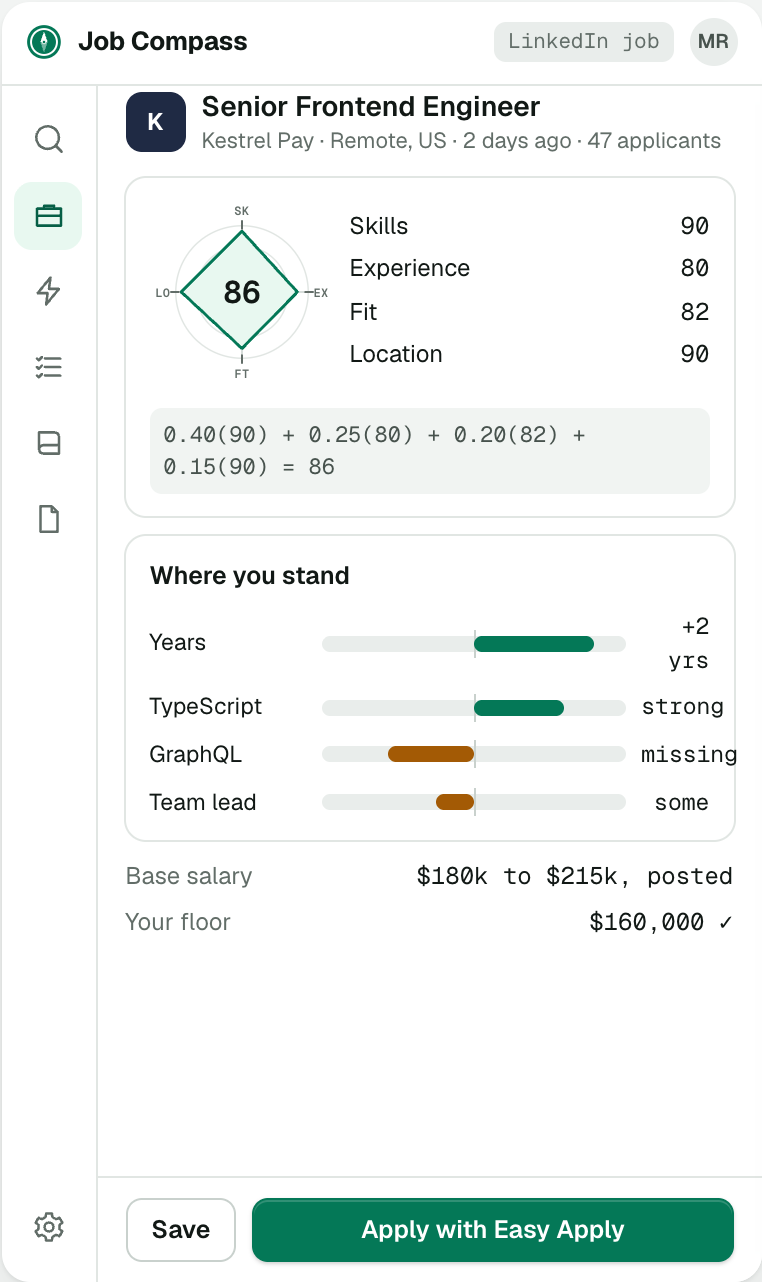
Skills, experience, fit and location.
Two jobs with the same number can have very different shapes. The shape tells you what kind of match it is before you read a word.
- SKSkillsHow much of what the job asks for you have already done.90 × 0.40
- EXExperienceWhether the level of the role matches yours.80 × 0.25
- FTFitWhether it is the kind of work you want to do.82 × 0.20
- LOLocationWhether you can take it from where you live.90 × 0.15
0.40(90) + 0.25(80) + 0.20(82) + 0.15(90) = 86
Search the way you already do
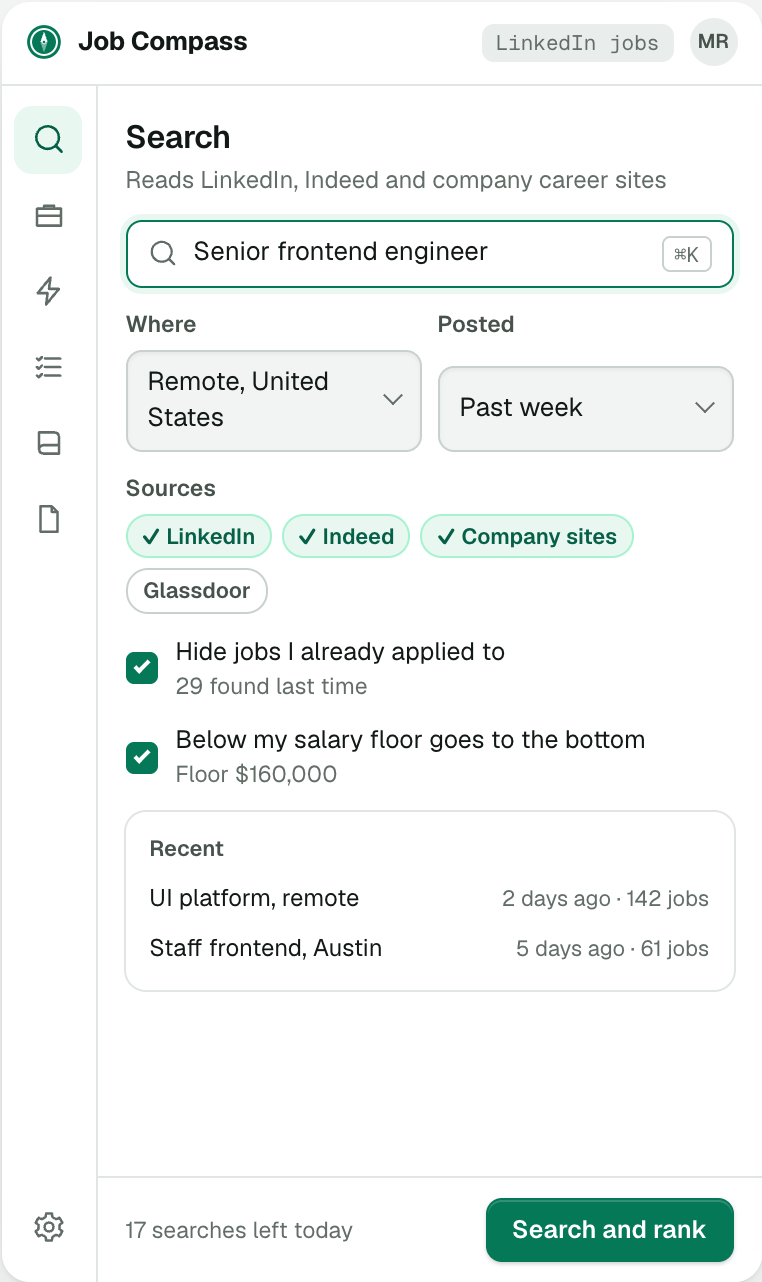
Search on LinkedIn or from the panel, with your titles, places and salary floor. Job Compass reads every result and the description behind it.
- Reads LinkedIn job search
- Your last search one press away
- Jobs you have applied to stay hidden
The queue, in order of fit
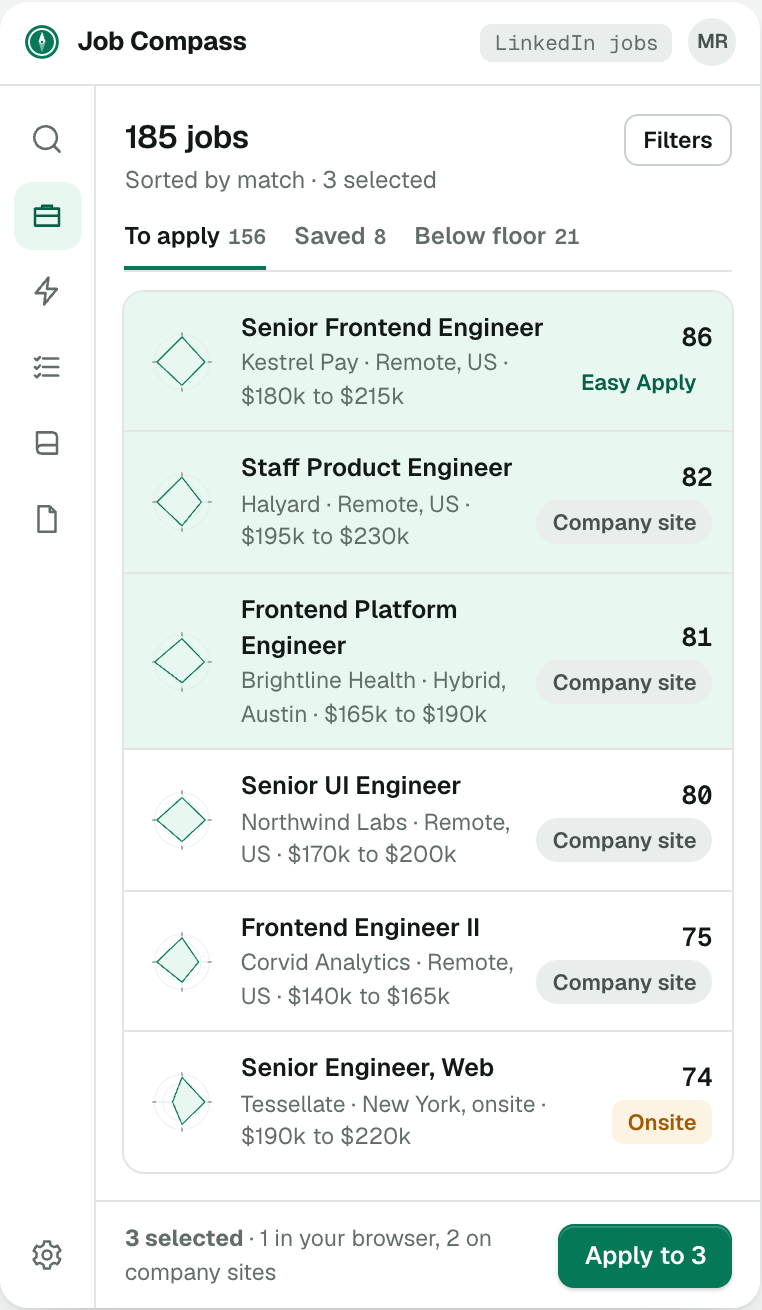
Every job in one list, best match at the top, each with its shape and score. Select the ones you want and apply in one go.
- Jobs below your salary floor sit in their own tab
- Saved jobs wait for later
- How each one applies is shown before you pick
Open any job and read why
The detail view prints the math, shows where you are strong and where you are short, and puts the salary against your floor. If something looks wrong, you can see what to fix.
- Jobs that hire only in one country are marked before you apply
- Your salary floor moves low offers down the list
- Jobs you skip stay out of the queue

See your next search ranked.
Install Job Compass, upload your résumé and search the way you already do.